A pilot tone drops — a playback machine, a Waves server, a plugin host — and the console switches to the backup you already built. No switching hardware. Pilot Tone Trigger listens for a pilot tone on the path you can't afford to lose and the instant it drops recalls a Scene, fires an Action, or both: main/backup playback switched at the console, or the "inserts out" scene for a dead Waves server, pulled automatically.
Playback redundancy has always meant hardware. A Radial SW8 is excellent, but it’s about $1,400, it’s heavy, it switches eight analog channels, and it sits between the interfaces and the desk — and everyone knows D-subs are a pain. The PlayAUDIO boxes do a similar job for around $1,200; the Dante-capable DirectOut unit is over $3,000. All of them need a hardware interface on each machine, and the analog ones can’t switch a source that arrives at the console digitally. On a dLive you can already build the backup — an Action that moves each channel’s input source to the B machine, or a Scene that takes every insert out when the plugin server dies. What was missing was something that fires it faster than a person can. So I wrote that.
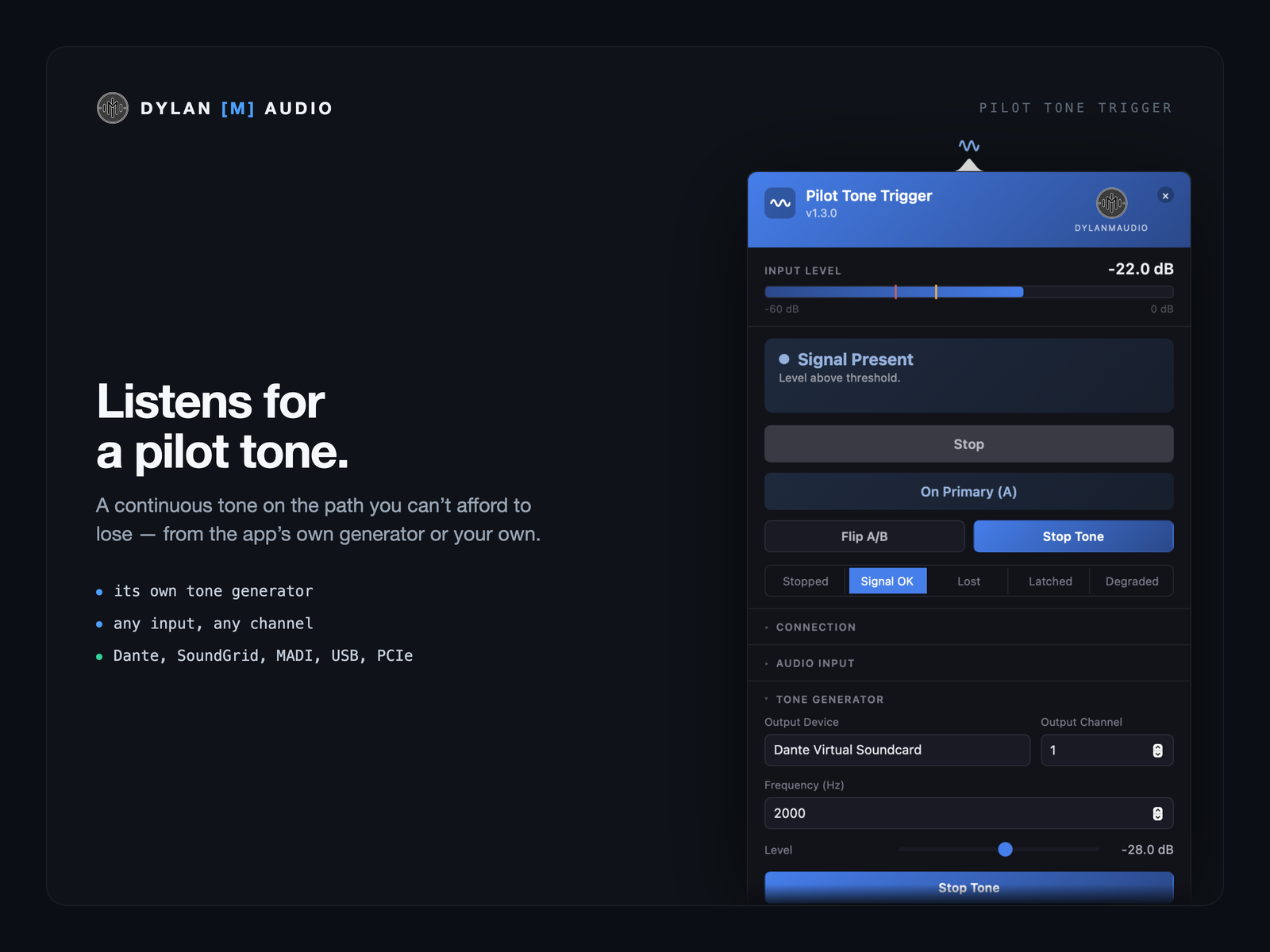
A continuous tone on the path you can’t afford to lose — from the app’s own generator or your own. Any input on any interface the Mac or PC can see (Dante, SoundGrid, MADI, Thunderbolt, USB, PCIe), on any channel.
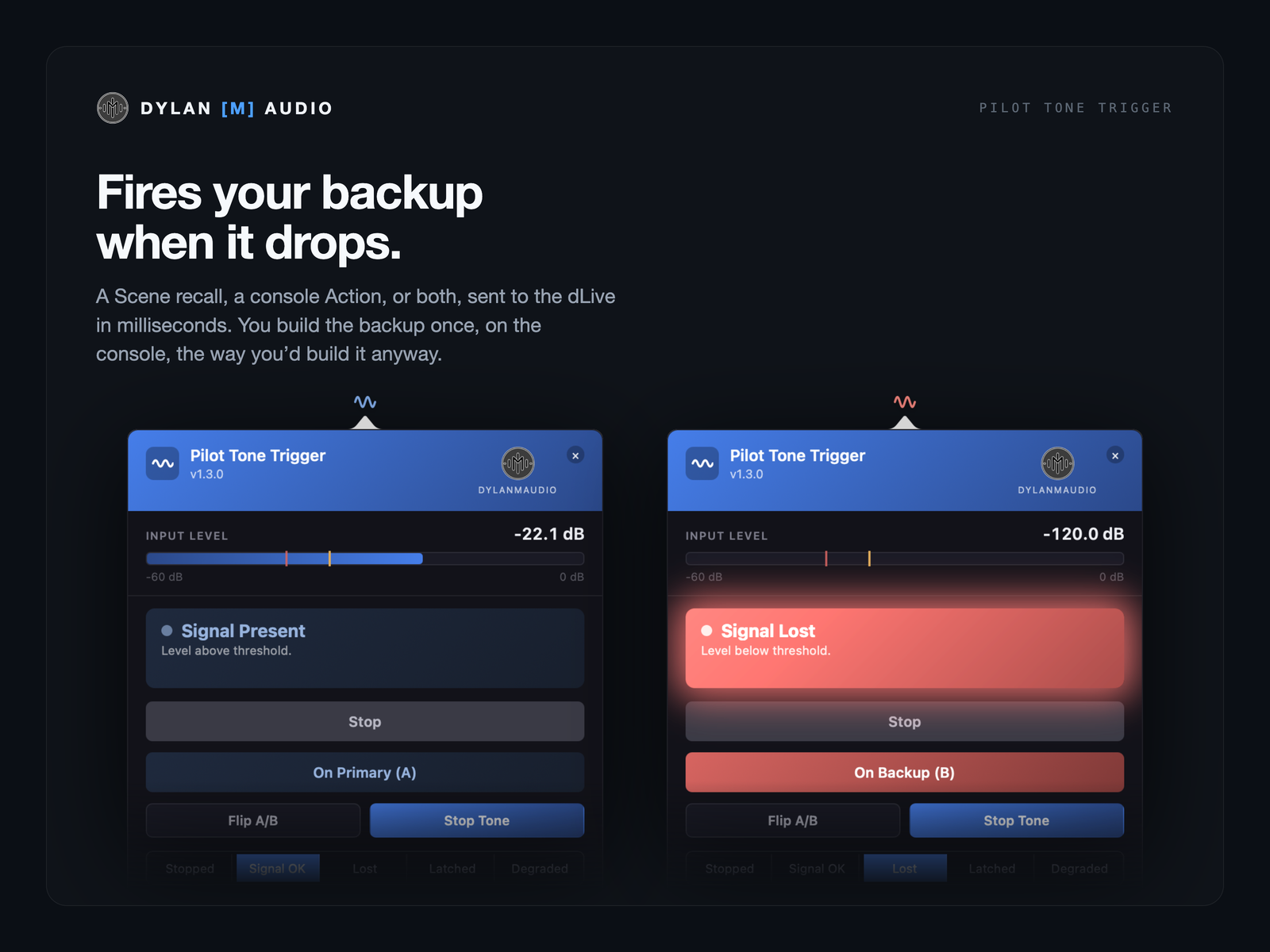
A Scene recall, a console Action, or both, sent to the dLive in milliseconds. You build the backup once, on the console, the way you’d build it anyway.
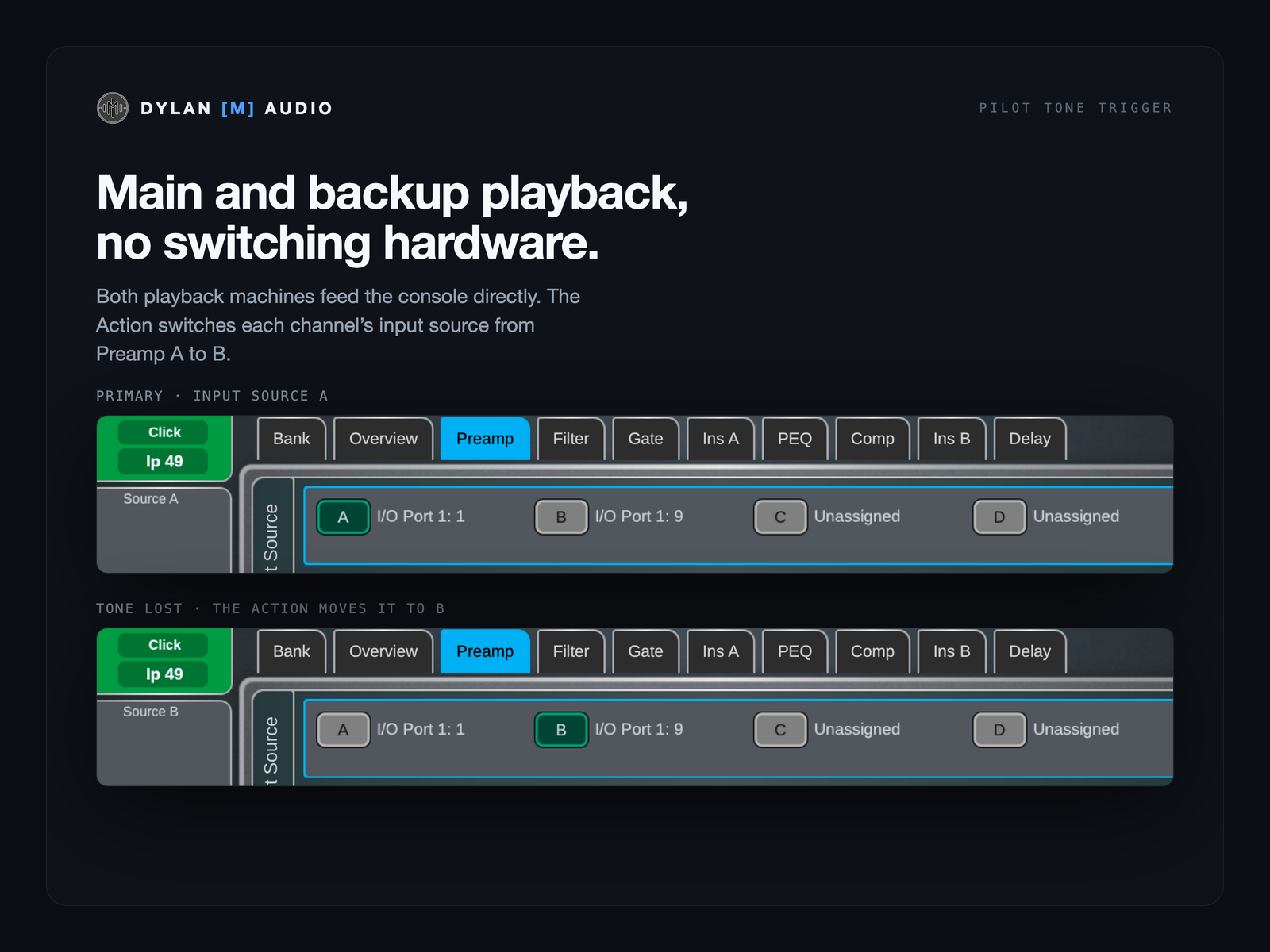
Both playback machines feed the console directly — over Dante Virtual Soundcard, the SoundGrid driver, or any interface. The Action switches each channel’s input source from Preamp A to B. Whatever the tracks run in — Ableton Live, Reaper, Logic, Cubase — makes no difference.
If you mix through SuperRack, SuperRack Performer, LiveProfessor, Gig Performer, MainStage or another plugin host, you already have the Scene that bypasses every insert. Pilot Tone Trigger pulls it the instant the server stops passing the tone.
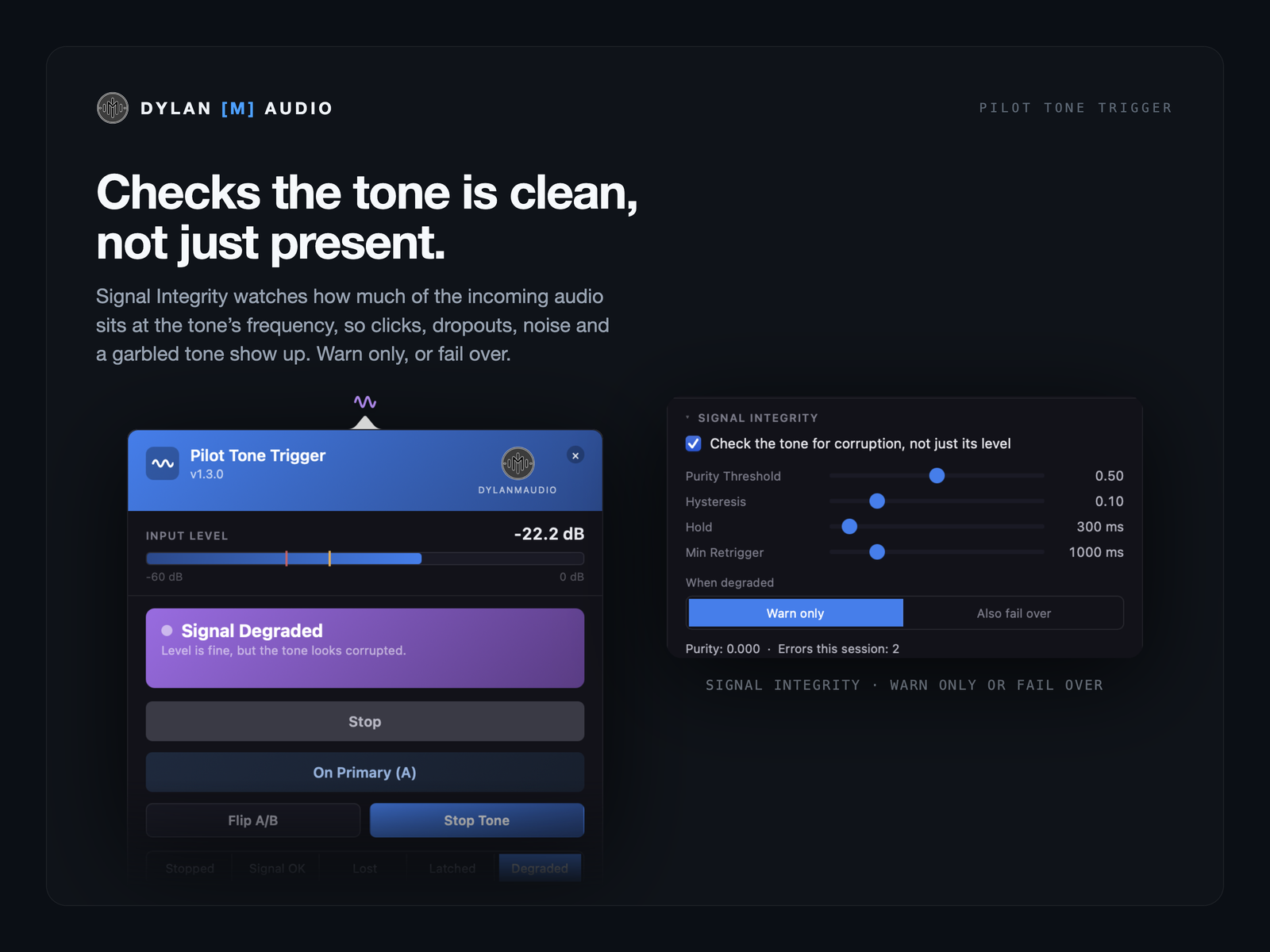
Signal Integrity watches how much of the incoming audio actually sits at the tone’s frequency, so clicks, dropouts, noise, clipping and a garbled tone all show up — the ways a digital path degrades before it fails outright. Warn only, or fail over. Off by default; tune it to your own rig.
Automatically when the tone returns, or hold on the backup until you press Reset — so the desk never flips back onto a source that just failed. Reset won’t fire while the tone is still missing. Flip A/B switches by hand any time, whatever the detector thinks.
Press Start on a path that’s already down and it fails over immediately.
Stopping the app, or the trial ending, sends nothing to the console. If the computer running it dies, nothing is sent either — the show stays exactly where it was.
If MIDI Bridge or the console is briefly away, a failover goes the moment the connection is back, within 10 seconds. After that it’s held: the tile reads Failover not delivered and the bar becomes Send failover now, so you decide whether the console should still switch. A side the console already has is never sent again.
The Connection line says whether the console is reached, through the free MIDI Bridge. The menu-bar icon (a tray icon on Windows) shows tone present, tone lost, degraded, and restored but still on the backup, and pulses amber while the console can’t be reached.
One input channel, a large buffer, and it never changes the sample rate.
Run, Auto / Latch, Reset, Flip A/B and the tone generator on Bitfocus Companion keys, with a status tile that goes red on a lost tone, amber when latched on the backup and violet when Signal Integrity sees damage. With the free dylanmaudio Companion module.
Playback engineers and techs running tracks into a dLive; FOH and monitor engineers mixing through Waves or a native plugin host; theatre and worship productions with a backup machine and nobody spare to watch it. It needs a dLive, a Mac or a Windows PC on the network with the free MIDI Bridge, and the backup path already patched to the console.
For a dLive, yes — that’s what it’s for. Those boxes switch analog outputs upstream of any console, and if that’s what you need, they’re the right tool. Pilot Tone Trigger switches at the console instead, so it costs nothing in hardware, works with digital sources, and needs the backup path patched to spare inputs.
Not the analog ones. This can: the tone is just another channel, and the switch happens on the console.
If it stops passing the tone, Pilot Tone Trigger fires the Scene you’ve built with every insert out. Audio carries on through the console; nobody has to find the panic button.
If Pilot Tone Trigger stops — or the computer does — nothing is sent, and the console stays on the main rig exactly as it was. It can only ever fire the backup you built.
The detector’s defaults are a 50 ms dropout hold and a 30 ms envelope release, so the switch is sent in milliseconds. A measured end-to-end figure on a console is coming.
A dLive, a Mac or a Windows PC on the console’s network with the free MIDI Bridge (1.4.5 or later), a pilot-tone feed into any audio input, and the backup — a Scene, an Action, or both — built on the console.
The dLive is the first console, not the only one — more consoles, from more manufacturers, are on the way. Users already report it works on Allen & Heath Avantis with Scene recall — Actions are a dLive feature — though I haven’t tested that myself yet. Register your interest and say which desk you’d like next. (Time Code Tool already works with anything.)
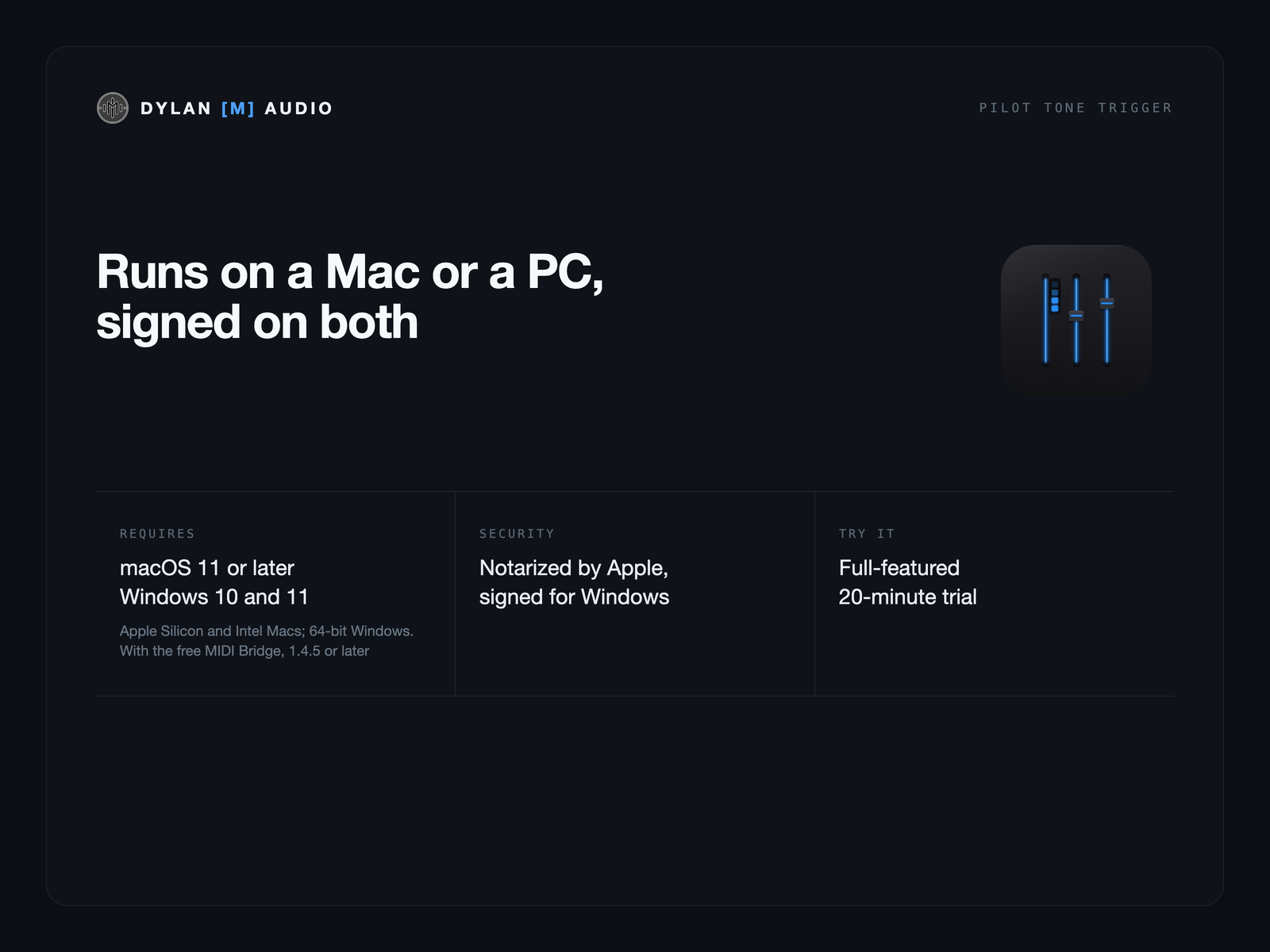
Both. Pilot Tone Trigger runs on Windows 10 and 11 (64-bit), in the system tray, and on Apple Silicon and Intel Macs with macOS 11 or later. On Windows it reaches the console through MIDI Bridge for Windows, and Dante Virtual Soundcard channels show as DVS Receive and DVS Transmit. A licence’s two activations can be on a Mac or a PC.
No analytics, no telemetry. Activating the licence is the only network call; Check for updates runs only when you press it, and nothing goes online while a trigger is armed. A licence covers two computers, Mac or PC — show machine and spare.
Buy a licence — $59, or try it free first with 20-minute sessions.
 Dylan
Dylan