Free MIDI between your Mac or PC and the dLive, monitored — and with full Stream Deck control.
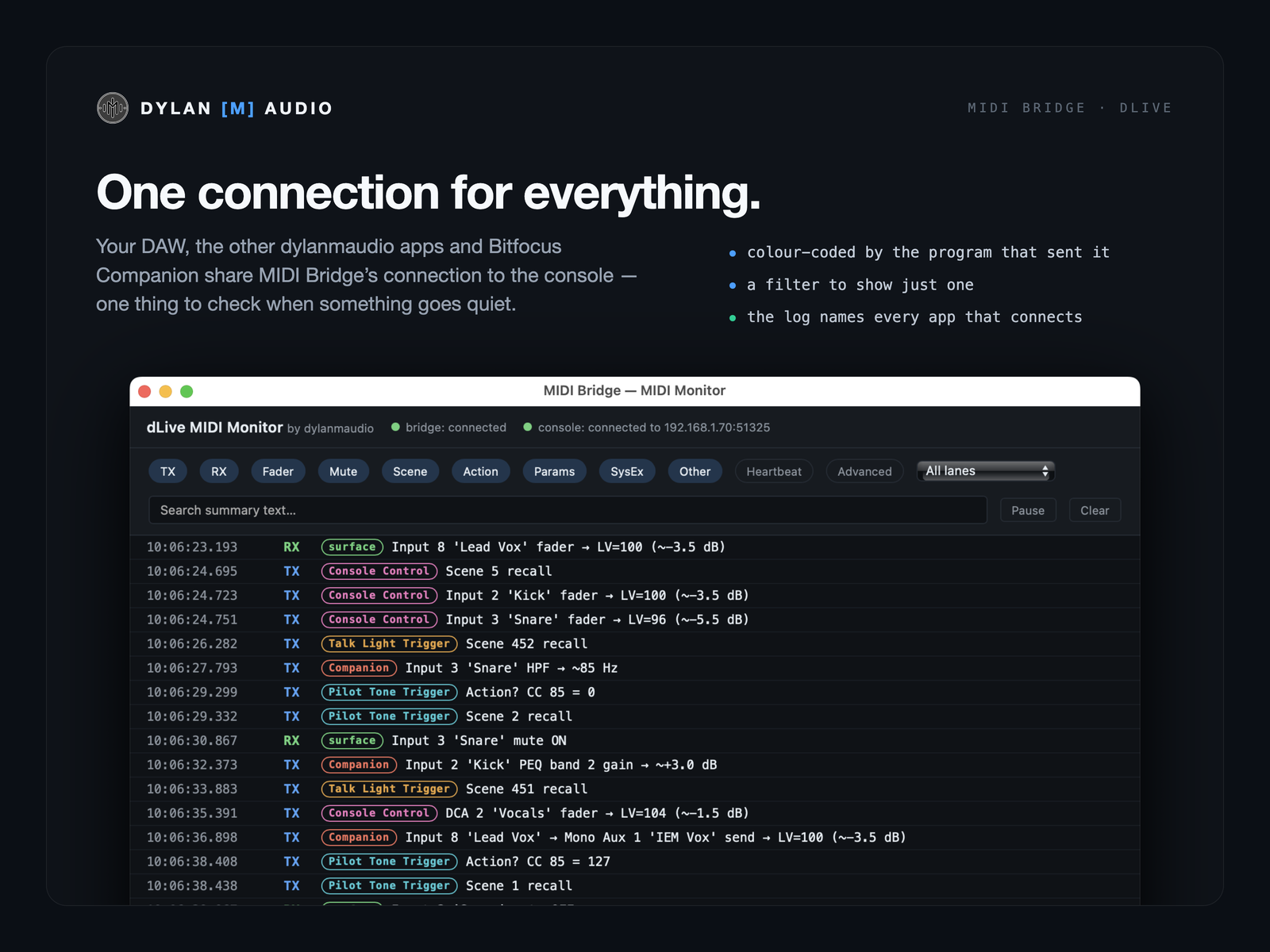
Real connection status, plain-language errors, and a monitor that reads every fader, mute, Scene, EQ and send in console language instead of hex. One connection your DAW, the other dylanmaudio apps and Bitfocus Companion all share. The bridging half of Allen & Heath's MIDI Control app, with the parts it leaves out.
Allen & Heath’s own MIDI Control app does the job: it makes the ports and connects them to the desk. What it doesn’t do is tell you anything. There’s no status beyond opening the app and looking, no error reporting, and no diagnostics — a button flashes for in and a button flashes for out, and that’s the monitoring. I’m a believer in watching MIDI traffic; as rigs get more complex, with software and hardware talking over the same wire, a monitor is how you trace signal flow. But every monitor I used showed NRPNs and hex. I like the number structures. Most people, reasonably, don’t — and that’s where a setup stalls. So this decodes everything into console language, tags every message with the program that sent it, tells you the moment the connection drops and why, and reconnects on its own. Then, as I built the other apps, it made sense for all of them to share this one connection and report through it.
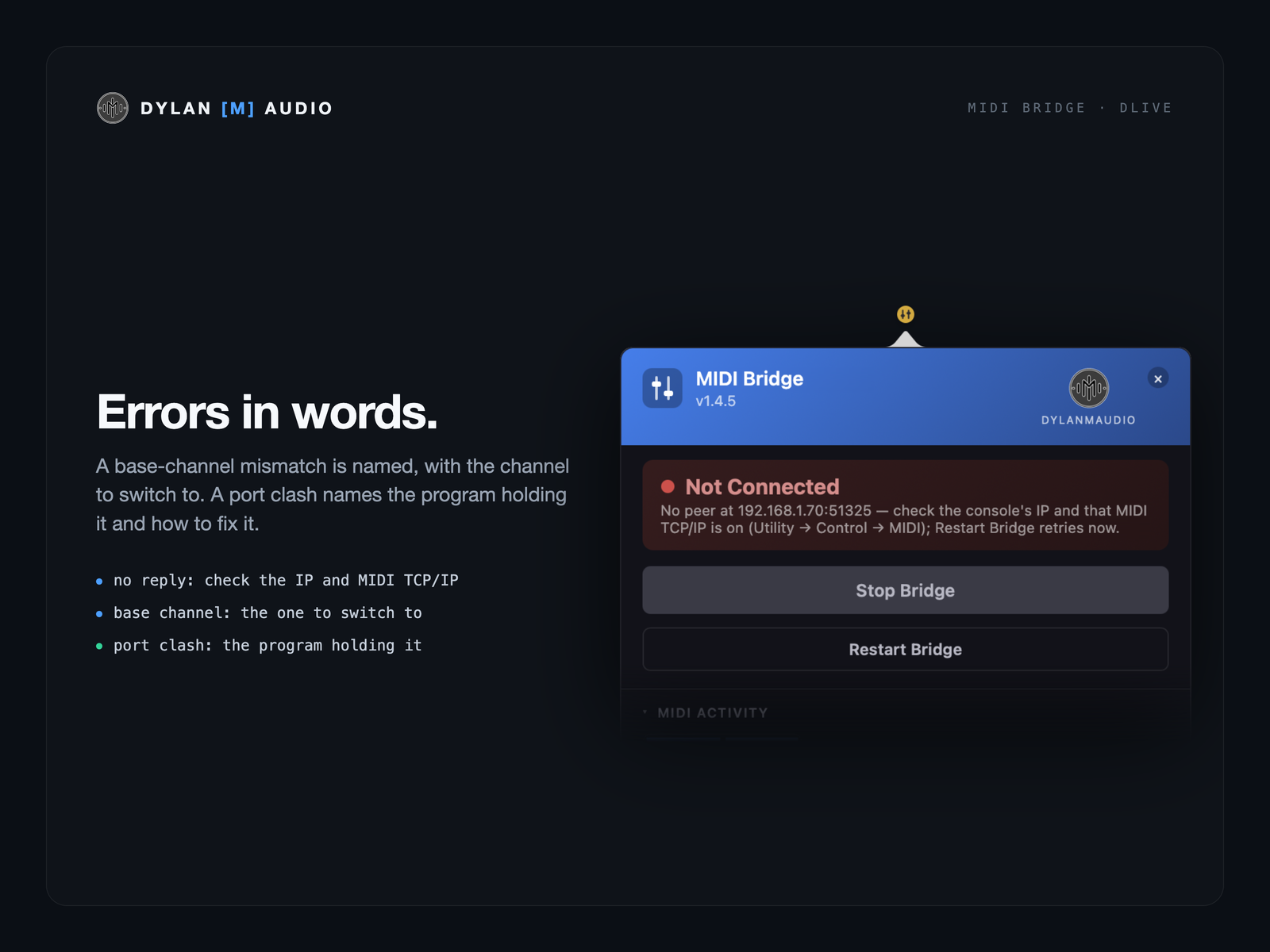
The menu-bar disc (a tray icon on Windows) shows stopped, connecting, connected or error, with a flash for activity — and “Connected” only once the console is actually answering. The bridge checks straight away and every few seconds, shows “Waiting for a reply from …” until it does, notices within about 20 seconds if the console stops, and reconnects by itself.
A base-channel mismatch is named, with the channel to switch to. A port clash names the program holding it and how to fix it. The panel says so if the running bridge is on a different address from the one in the fields.
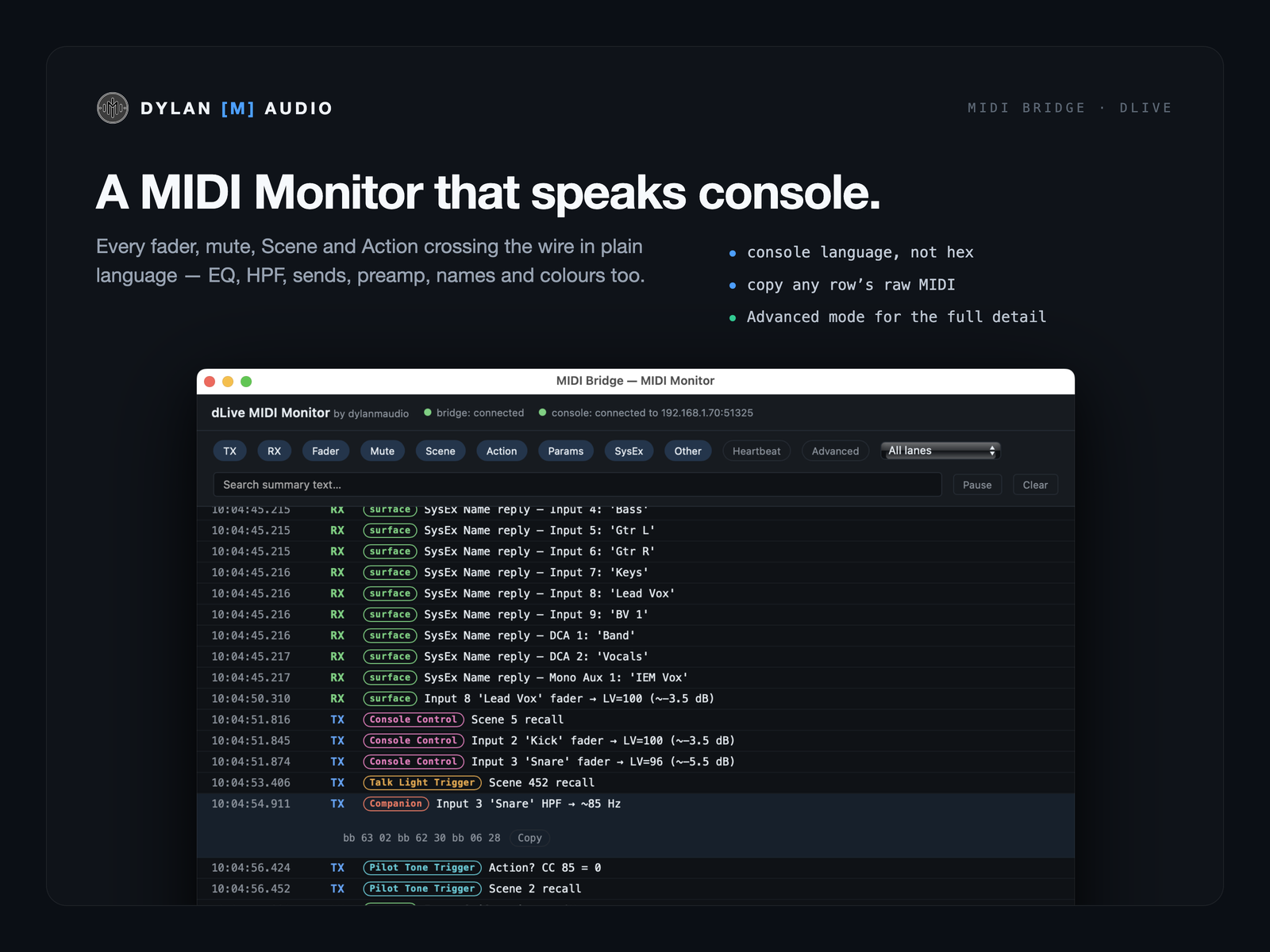
Every fader, mute, Scene and Action crossing the wire in plain language, colour-coded by the program that sent it, with a filter to show just one. Parametric EQ, HPF, aux, FX and matrix sends, preamp gain, pad and 48V, names, colours and assignments each read as what they are — “Input 3 HPF → ~85 Hz” — with their own filter. Advanced mode shows the full detail, and any row’s raw MIDI is one Cmd-click to copy.
Your DAW, the other dylanmaudio apps and Bitfocus Companion share MIDI Bridge’s connection to the console instead of each opening their own, so there’s one thing to check when something goes quiet. The log names every app that connects, when it leaves, and any message refused after its connection closed.
On the Mac, “MIDI Bridge” MIDI ports that Reaper, Logic, Ableton Live or any MIDI app can use straight away, no drivers (if you’ve used it before, they keep their “dLive Bridge” names). On Windows, two ports made in the free loopMIDI do the same job. Fader moves made on the desk come back complete through the Return port, so automation records what the engineer actually did.
Every session is logged; Export log puts a copy on your Desktop, so “it stopped working after a couple of minutes” has something to show.
Starts at login, an optional Dock icon, Check for updates only when you press it, and the Quick Reference installed with the app.
Run the dLive from a Stream Deck through Bitfocus Companion — mutes, faders with timed fades, Scenes and Actions — with names, colours, levels and the current Scene back on the keys, and the bridge itself started, stopped and watched from a key. With the free dylanmaudio Companion module.
Anyone with a dLive and a Mac or a Windows PC: engineers recording console automation into a DAW, show-control operators, anyone trying to work out why a MIDI setup has gone quiet — and everyone running the other dylanmaudio apps, which connect through it.
For getting MIDI between a computer and the console, yes — with connection status, error reporting and a decoded monitor that MIDI Control doesn’t have. It does not do MIDI Control’s HUI / Mackie Control emulation for driving a DAW from the desk surface; if you use that, keep it.
Because a dLive fader move is three NRPN messages, and an EQ change looks the same in hex. Reading them by hand is how setups stall. The monitor reads them for you, and tags who sent them.
They connect through it, share its console connection and show up by name in the monitor and the log.
The dLive is the first console, not the only one — more consoles, from more manufacturers, are on the way. Users already report it works on Allen & Heath Avantis (I haven’t tested that myself yet). Register your interest and say which desk you’d like next.
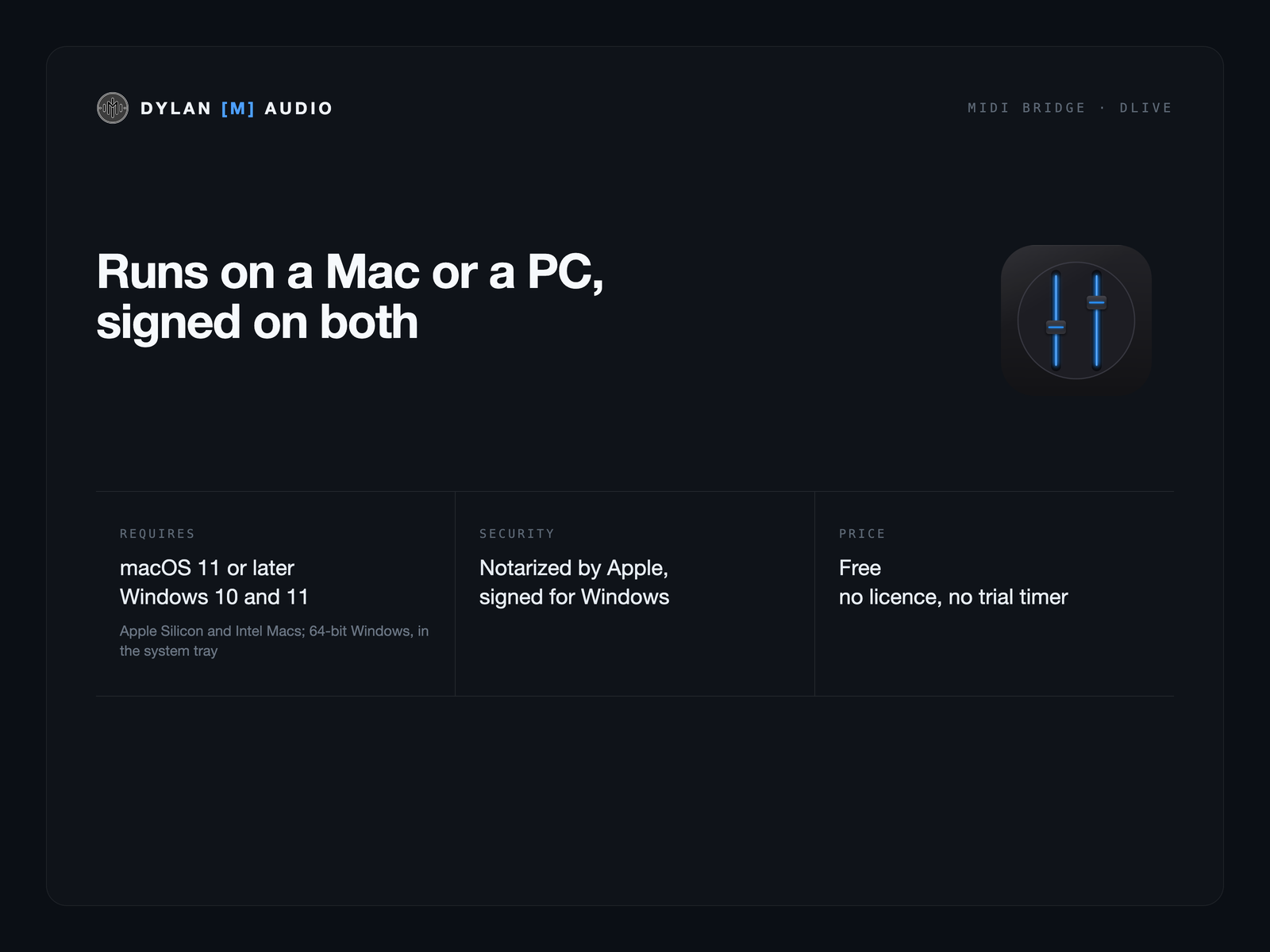
Both. MIDI Bridge runs on Windows 10 and 11 (64-bit), and on Apple Silicon and Intel Macs with macOS 11 or later — one free download for each. On Windows, a DAW connects through two ports you make in the free loopMIDI (the Quick Reference shows how); Bitfocus Companion works without them. Talk Light Trigger and Pilot Tone Trigger run on Windows too, through it, and so does Time Code Tool.
No analytics, no telemetry. Check for updates runs only when you press it. There’s no licence and no trial timer.
Download it, and drop into the Discord if you hit a snag or have a request.
 Dylan
Dylan